There was a time when Windows was my daily driver, and running another operating system meant firing up VirtualBox.
It worked. Create a virtual machine, mount an ISO, click through the installer, wait for updates, install guest additions, and eventually you'd have a usable system.
Then Microsoft introduced WSL, the Windows Subsystem for Linux.
For many users stuck on Windows, it changed everything. Instead of running Linux inside a traditional virtual machine, Linux applications could run with performance that felt remarkably close to native. It was one of the first times I started paying attention to what was happening underneath the virtualization layer.
The switch
Fast forward a few years and I made the switch to Linux.
Ironically, one of the first things I needed was a way to run Windows.
My initial solution was the same one I had always used, VirtualBox. Familiar, reliable, and available on Linux. But after spending enough time in Linux communities, I kept seeing the same names appear in discussions about performance:
KVM.
QEMU.
Virt-Manager.
Naturally, armed with my arrow cursor, I went hunting through the rabbit hole…
What I discovered was that Linux already had everything needed to become a powerful hypervisor. In fact, much of the virtualization stack was built directly into the kernel itself.
The hunt eventually led me to Quickgui, a tool that made setting up virtual machines so effortless that I wondered why I hadn't found it sooner.
Hold my cursor
Before we get to Quickgui, it helps to understand the two technologies doing most of the work behind the scenes.
KVM, short for Kernel-based Virtual Machine, is a Linux kernel module that effectively turns the Linux kernel into a hypervisor. Rather than emulating every instruction in software, KVM allows guest operating systems to execute directly on the host CPU.
VirtualBox is a type 2 hypervisor, sitting on top of a host operating system. KVM is more of a type 1 hypervisor integrated into the Linux kernel, exact reason why it consistently outperforms VirtualBox in raw performance.
QEMU and KVM.
While KVM handles CPU virtualization, QEMU provides the virtual hardware. It emulates devices such as storage controllers, network adapters, graphics hardware, USB controllers, and everything else a modern operating system expects to find inside a computer.
Think of it this way:
- KVM gives Linux OS the power to run virtual machines.
- QEMU gives Linux users a way to use that power.
Together they form one of the most powerful virtualization platforms available on Linux today.
QUICKGUI
Out of all the tools I tried, Quickgui was the one that immediately clicked.
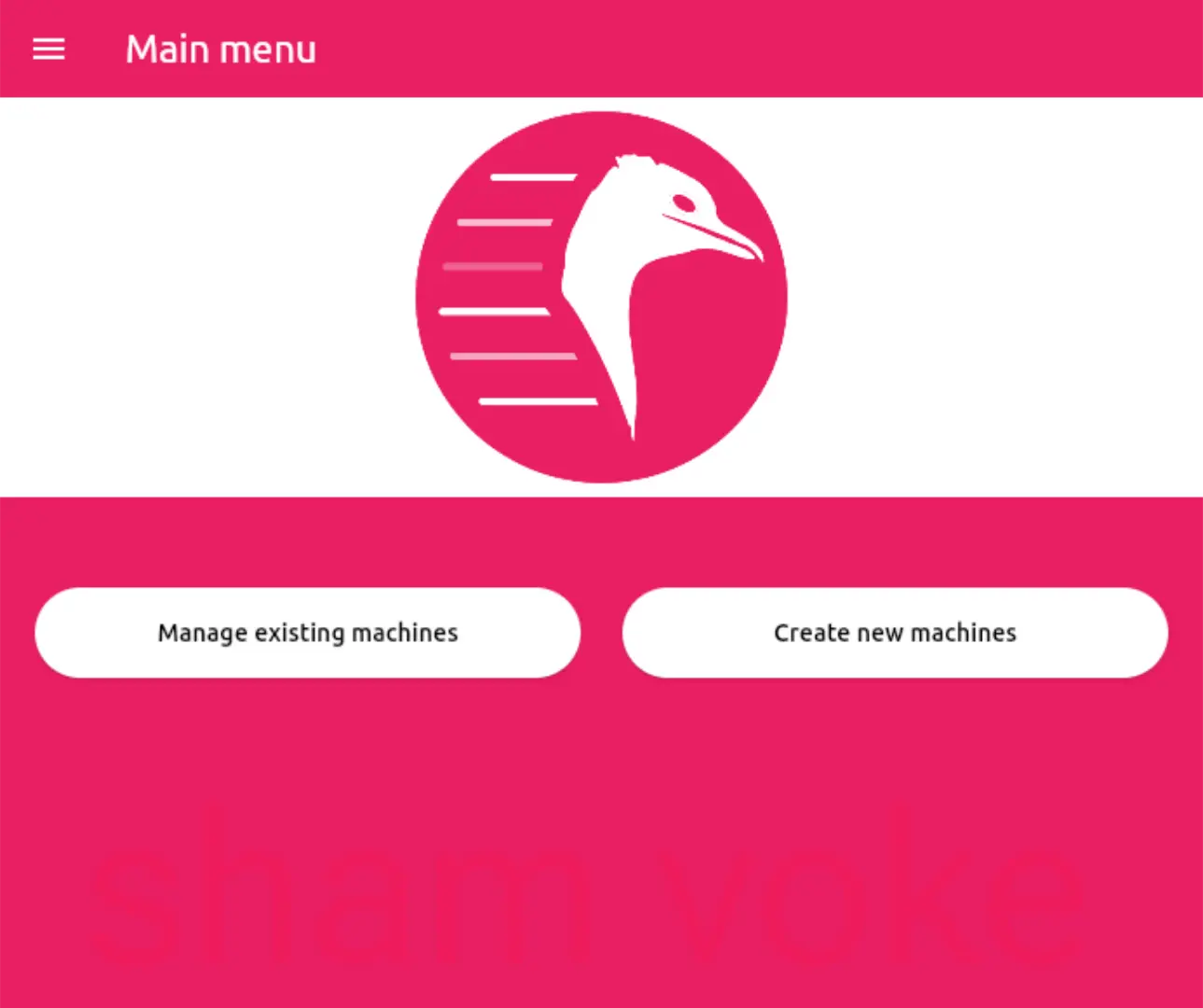
Quickgui is a graphical interface for Quickemu, a diffrent project designed to make QEMU virtual machines ridiculously easy to create and manage. Instead of manually downloading ISOs, configuring virtual hardware, and tweaking endless settings, Quickemu automates most of the process for you. Then Quickgui acts as the (GUI) graphical user interface, running quickemu behind the scene.
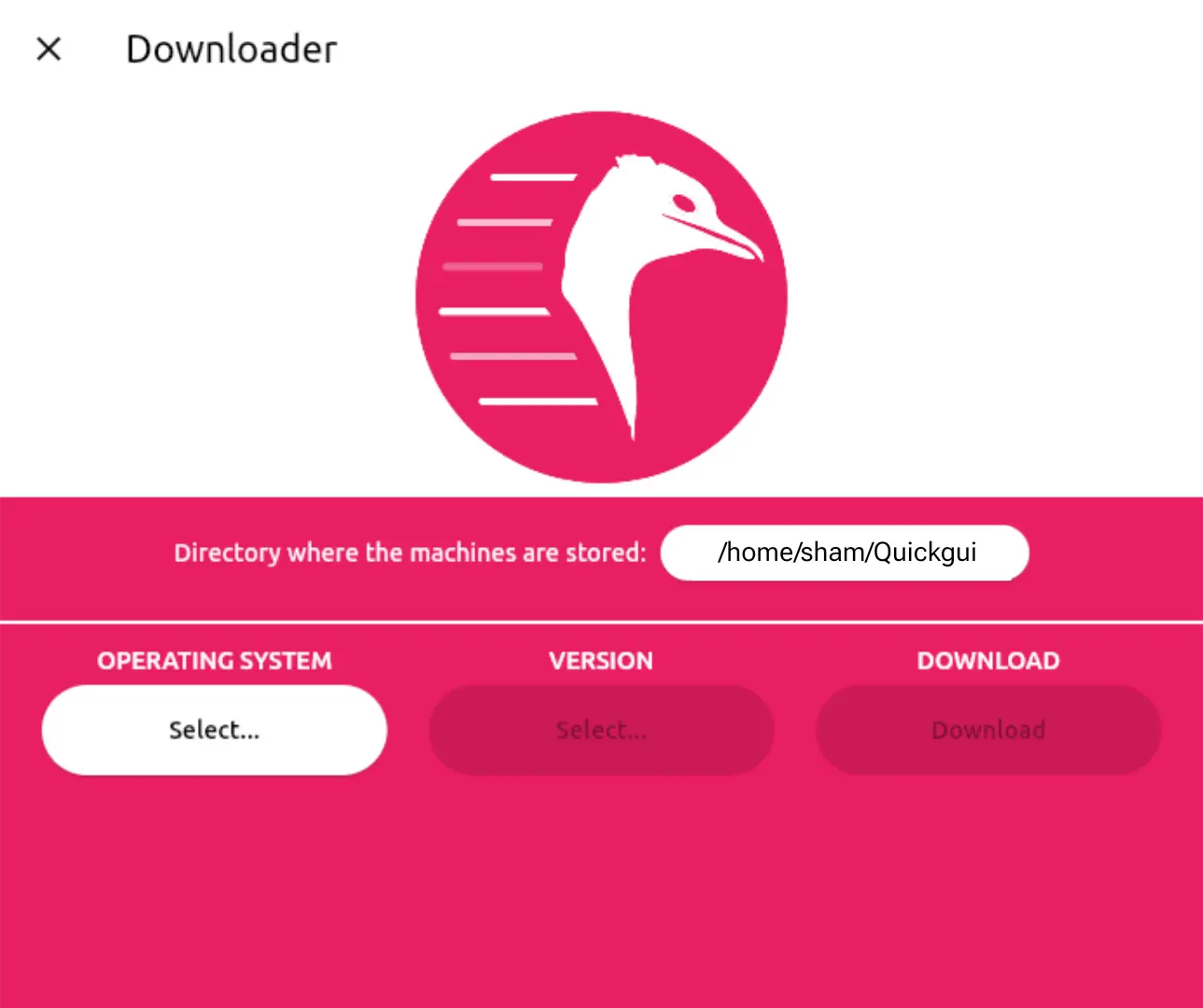
What impressed me most was the balance between simplicity and performance. Underneath the friendly interface, you're still using the same QEMU and KVM stack that powers many serious virtualization setups. The difference is that Quickgui removes much of the complexity.
- Need Windows? Select a version and let Quickgui handle the rest.
- Need a Linux distribution? Pick one from the list and download it directly from the application.
- Need something more? Quickgui supports hundreds of operating systems, including Windows, macOS, BSD variants, and an enormous collection of Linux distributions.
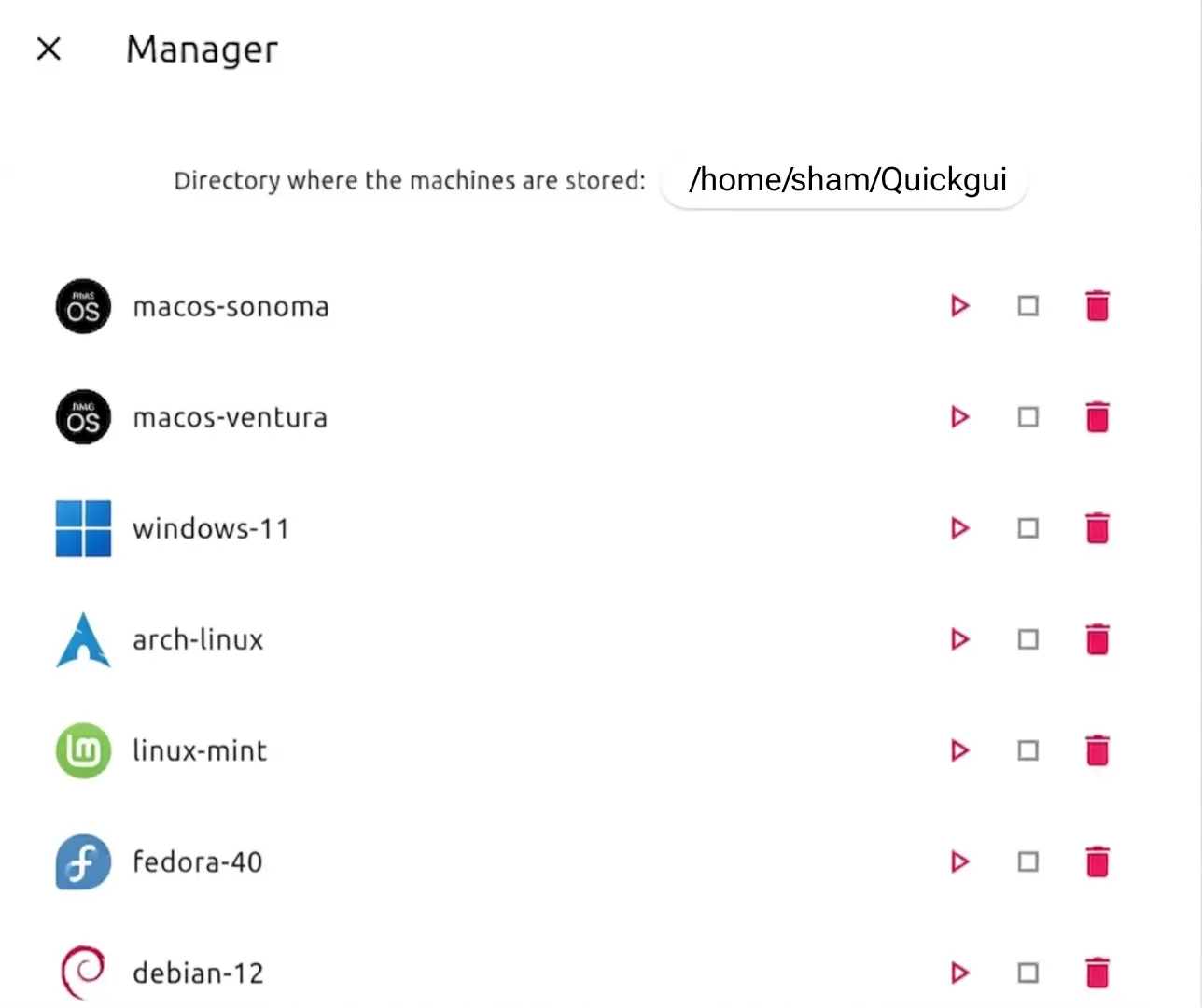
The first time I installed Windows through Quickgui, I was surprised by how little work was involved. Download, create, start. A few moments later I was looking at a running Windows desktop inside Linux.
No hunting for ISOs.
No complicated configuration.
No virtualization degree required.
Beyond Windows
Quickgui is not limited to Windows. Under the hood, it can spin up a wide range of operating systems, including Linux distributions, BSD variants, and even macOS and Android images in certain configurations.
In my experience, Windows remains the smoothest experience because of how optimized the setup is inside Quickgui. macOS is also possible, though it requires a bit more manual adjustment and patience compared to the near one click Windows workflow.
Android can technically run as well, but it is not the most practical route on a Linux desktop, especially when better emulator based solutions exist for that use case.
Throwback
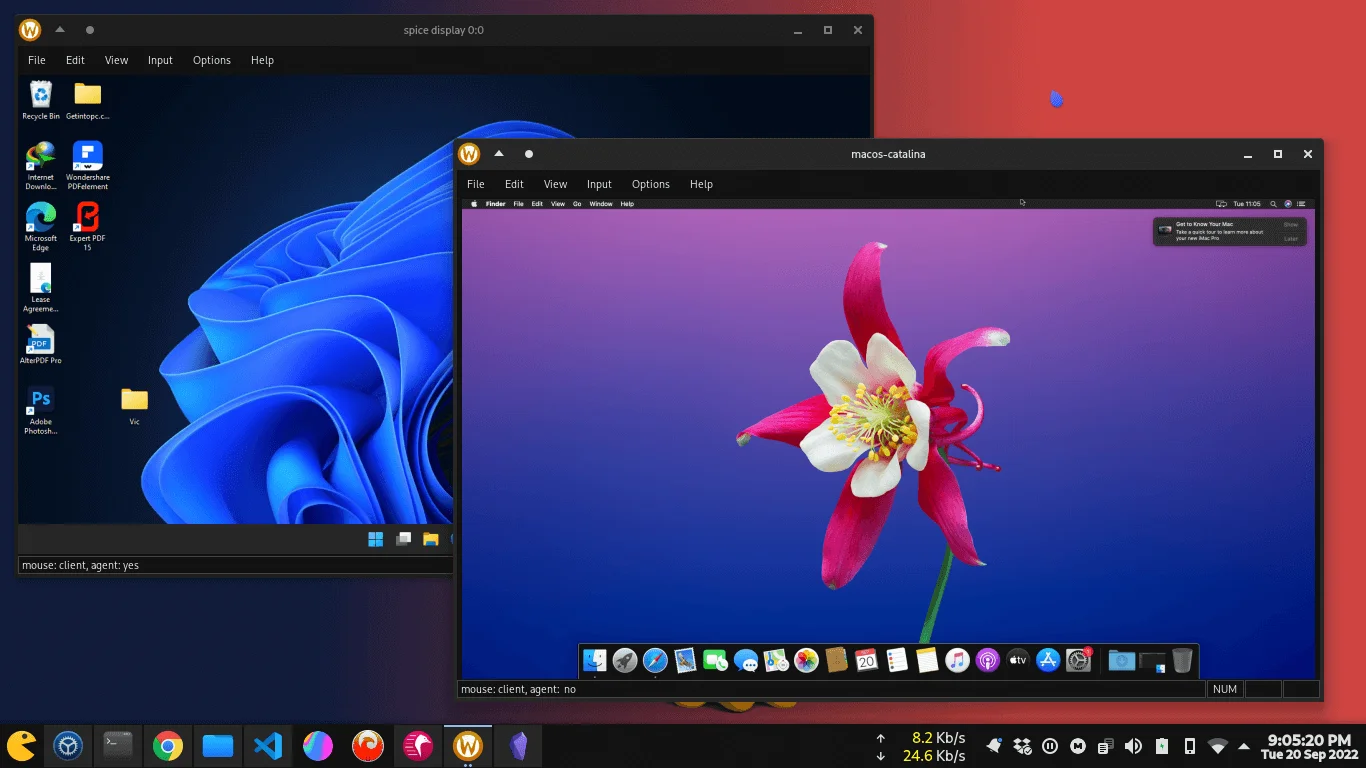
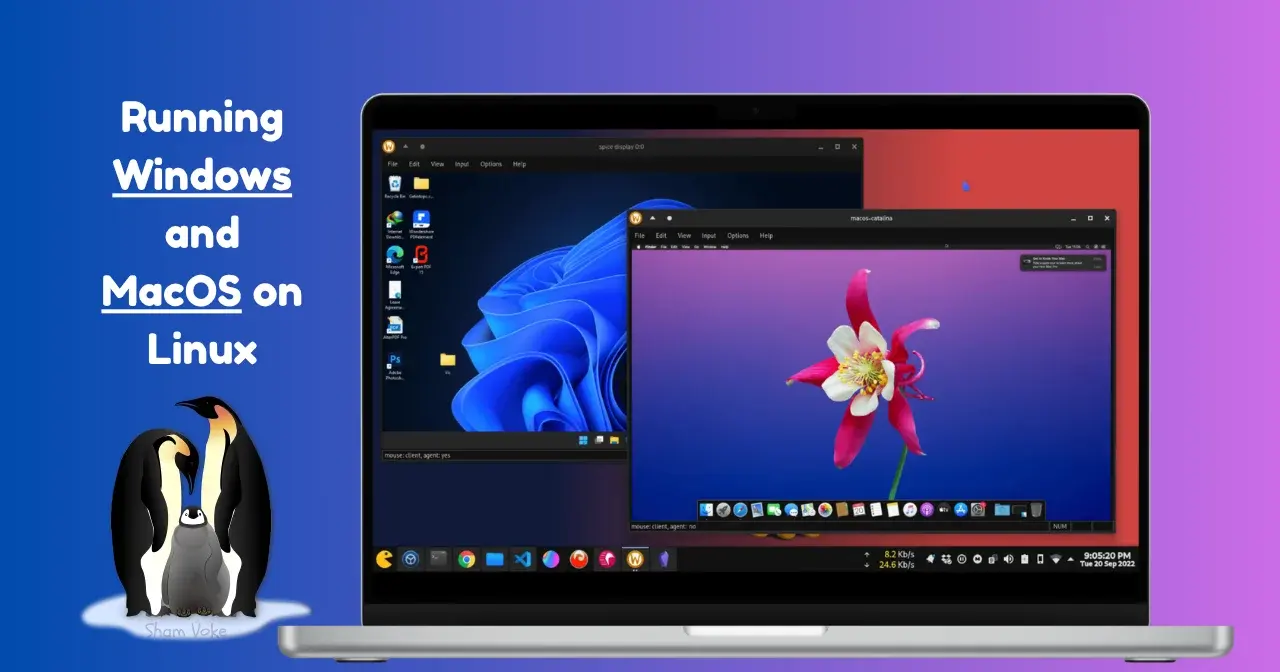
Above is a screenshot I took back in 2022. A Windows 11 VM and a macOS Catalina VM, both running side by side on Arch Linux. If you zoom in, you will notice Photoshop on the Windows VM desktop. Years later, QuickGUI still holds true to its purpose, making this kind of setup effortless.
The same tool that simplifies running Windows on Linux, also open doors to experimentation far beyond it, depending on how far you are willing to explore the stack underneath.
I'll cover the full step by step setup process in a dedicated guide, but if you're looking for the easiest way to run Windows on Linux today, Quickgui is easily the best places to start.
Stay Curious,
Sham.