Finding the perfect text editor is one of those tiny tech decisions that somehow matters, and not just for developers. Whether you are coding, writing, or just tweaking system configuration files, we constantly bounce between heavy, bloated apps that consume RAM for a living, and barebones terminal editors that require a PhD in keyboard shortcuts just to exit (hi Vim). Kate sits right in the middle, offering the speed of a lightweight editor with the power of a full-blown development environment.
Now, don't get me wrong, Visual Studio Code is still my workhorse for heavy development. See, both Kate and VS Code have their own distinct spaces in my workflow, and sometimes, you simply don't need to fire up a massive IDE for a quick task.
For "normal", regular text file edits, Kate is my absolute champion. Whether I'm opening a simple .txt file, making a quick adjustment to a single .html, .css, or .svg file, or drafting my Markdown.md blog posts, Kate is the tool I reach for. In fact, it is so reliable that I always set it as the default text app in system settings.
Back in my Windows days, Notepad++ was the undisputed king of this quick-edit space. But ever since Kate entered the picture, it has completely taken over the throne. It is so good that even when I find myself working on a Windows machine, the first thing I do is install Kate.
Here is why Kate wins
Unapologetically Fast
It opens instantly. There is no splash screen, no loading bar, and no waiting for a dozen plugins to initialize. When you need to edit a file right now, Kate is already waiting for you.
The Built-in Terminal
This is a total game-changer. Having an integrated terminal right at the bottom of the screen means I can launch a local dev server without ever having to switch windows.
Language Server Protocol (LSP) Support
It might look simple on the surface, but Kate is incredibly smart. With built-in LSP support, you get fantastic autocomplete, syntax highlighting, and error checking straight out of the box.
Since I find myself editing Markdown files most of the time, including this blog article, I usually install marksman from AUR for exactly that. In simple terms, marksman enables Markdown code assist and intelligence in Kate.
Split Views & Sessions
Managing multiple files is a breeze. The split-screen functionality is intuitive, letting you compare code side-by-side perfectly. Plus, it remembers your sessions, so you can pick up exactly where you left off.
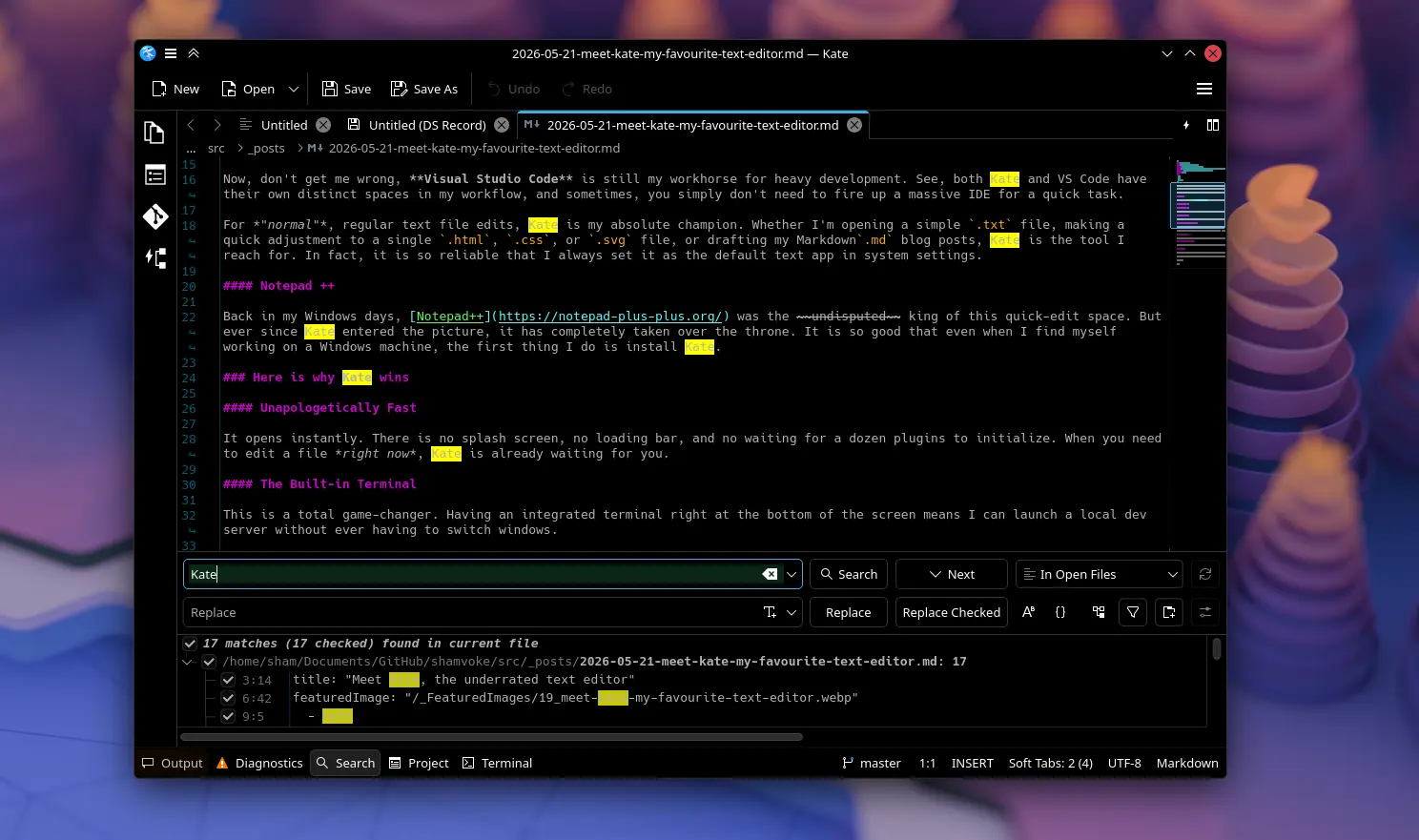
Search and Replace (My favorite)
Honestly, every other text editor has this feature, what sets Kate apart is the workflow. It's fluid, unobtrusive, and handles everything from simple word swaps to complex regular expressions without ever making you feel like you're fighting the interface.
The Champion
Kate proves that you don't need an Electron-based bloat to get real work done. It integrates beautifully into Linux, Windows and even MacOS, feels incredibly native, and stays out of your way so you can focus entirely on writing.
If you are tired of your current editor slowing you down, it might be time to play the field. Give Kate a try.
Stay Curious,
Sham.