Every time I try a new Android launcher, I lie to myself.
This one looks cleaner. This one feels modern. This one is surely the best launcher.
Then a few hours later, Nova Launcher is back on my phone like it never left.
why I keep coming back
1. Gestures
I am not really a gestures person.
Some people turn their home screen into a full secret command center, swipe here for this, pinch there for that, double swipe to summon the ancestors. Not me.
But Nova makes gestures feel so simple and subtle that you do not even feel like you are using “features”. They just become part of the phone.
My favorite one is simple: swipe down on the home screen to pull down the notification bar.
That alone is a life saver.
No more stretching my thumb all the way to the top of the screen like I am training for the Android Olympics. Just slide down anywhere on the home screen, and boom, notifications.
Then there is double tap to lock the phone. Simple. Clean. Sometimes useful.
And honestly, that is as far as I go with gestures.
Just a tip, Nova now lets you set custom gestures for app icons on your home screen too. So one icon can do more than one thing, depending on how you interact with it.
2. Icon control
Almost every serious launcher supports third-party icon packs, so this is not exactly rare.
But here is the thing, I usually prefer default system icons. I like my phone to still feel like my phone, not like I downloaded someone else's entire personality from the Play Store.
Still, there are always a few apps with icons that look out of place.
With Nova, I can change just that one icon.
Not the whole system. Not the entire icon pack. Just that one stubborn app. That level of control keeps pulling me back.
Just a tip, instead of hiding an app, (
premium feature btw) you can change its icon and name to something boring. Oh no, now I am telling you my secrets! I hide Magisk, what are you guys hiding? 😂
3. Grid control
This is the icing on the cake.
Actually, this might be the whole cake.
Every other launcher I try eventually fails here. The moment I cannot control the layout exactly how I want, I start missing Nova.
With Nova, I can adjust the grid, icon size, screen orientation, label style, spacing, and overall layout until the home screen feels right.
Not “good enough”.
Right.
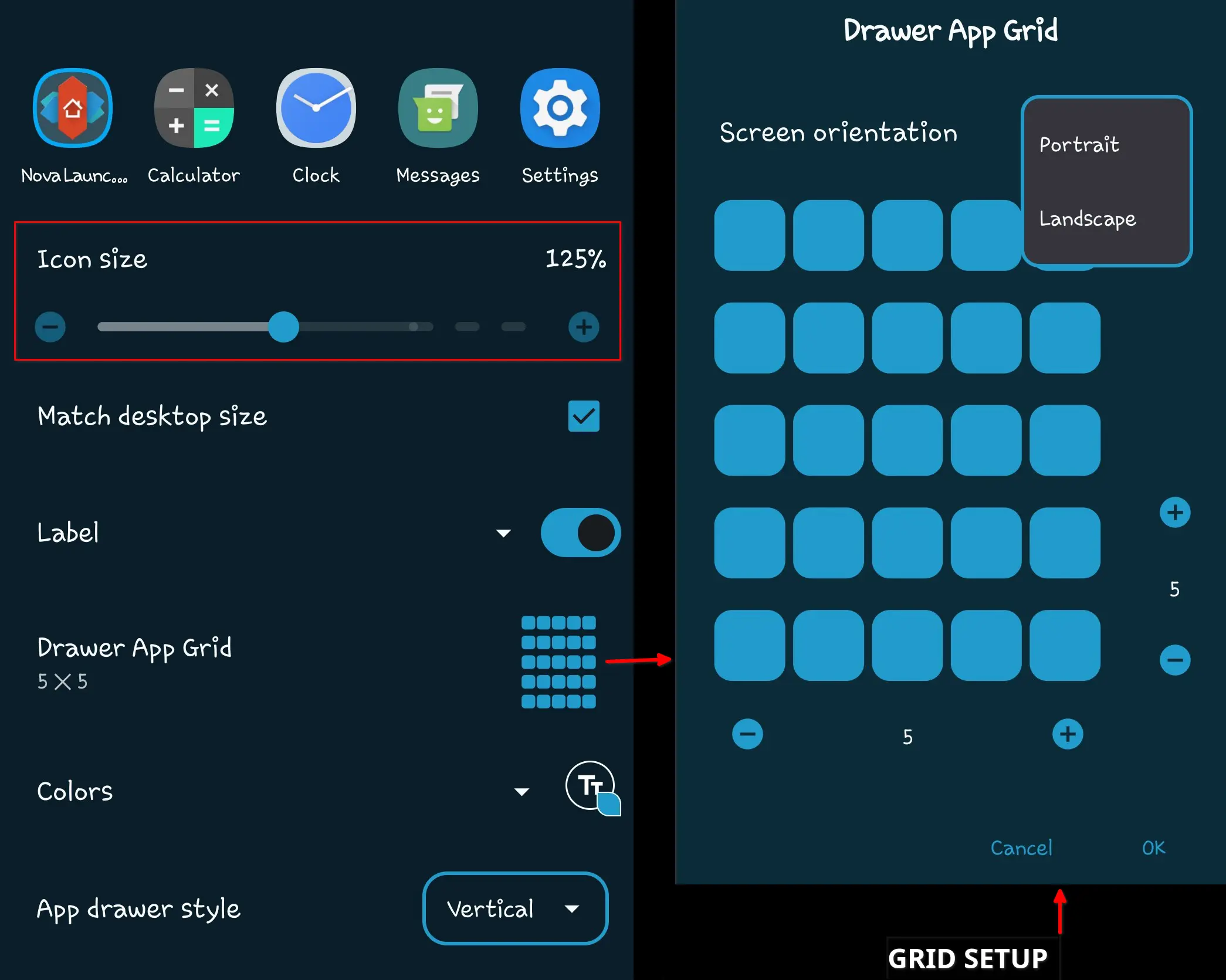
That matters because a phone home screen is not just decoration. Considering your eyes and thumb land there every day... it should make sense to you.
4. Folder behavior
If grid control is the icing on the cake, folder behavior is the cute little decoration sitting proudly on top.
Nova folders just feel right.
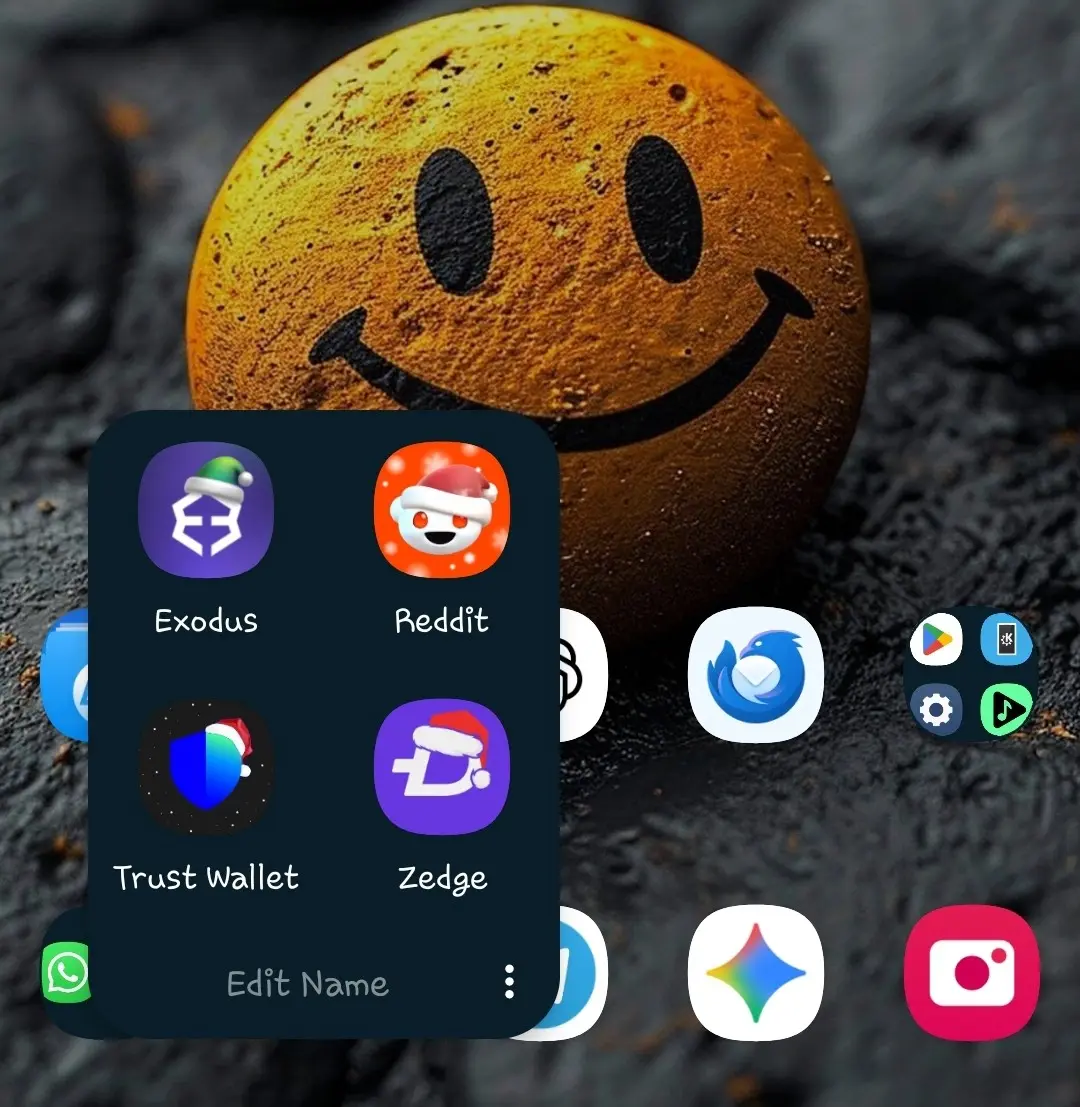
You can control how they open, how they look, how icons appear inside them, and how they behave on the home screen. It sounds small until you try another launcher and suddenly folders feel clumsy, stiff, or weirdly unfinished.
Always gets me asking, "why can't they just do it like Nova?"
5. App drawer customization
Remember the icing on the cake?
Well, that icing drips all the way down into the app drawer.
Nova does not stop at the home screen. The app drawer also gets proper customization, from layout and spacing to how apps are displayed.
I like to keep mine simple, clean, and easy to scan.
Nothing too fancy. Nothing too noisy. Just an app drawer that behaves.
6. Speed
With all this customization, you would expect Nova to feel heavy.
Surprise, it does not.
At least in my experience, Nova has always felt fast, smooth, and reliable. It does not make my phone feel like it is carrying furniture upstairs.
That is important because customization is only fun when it does not punish performance.
A launcher can have all the features in the world, but if it lags every time I go home, it is gone.
Just a tip, if you are using a potato phone, disable or reduce transition animations in your system settings. Less animation, more speed.
7. Widgets
Now, saving the best for last. Widgets!
I am not really a widgets person either.
I do not like a crowded home screen. Neither do I need my phone looking like a control room.
But there is one widget I have grown to love: the calendar widget.
That one stays.
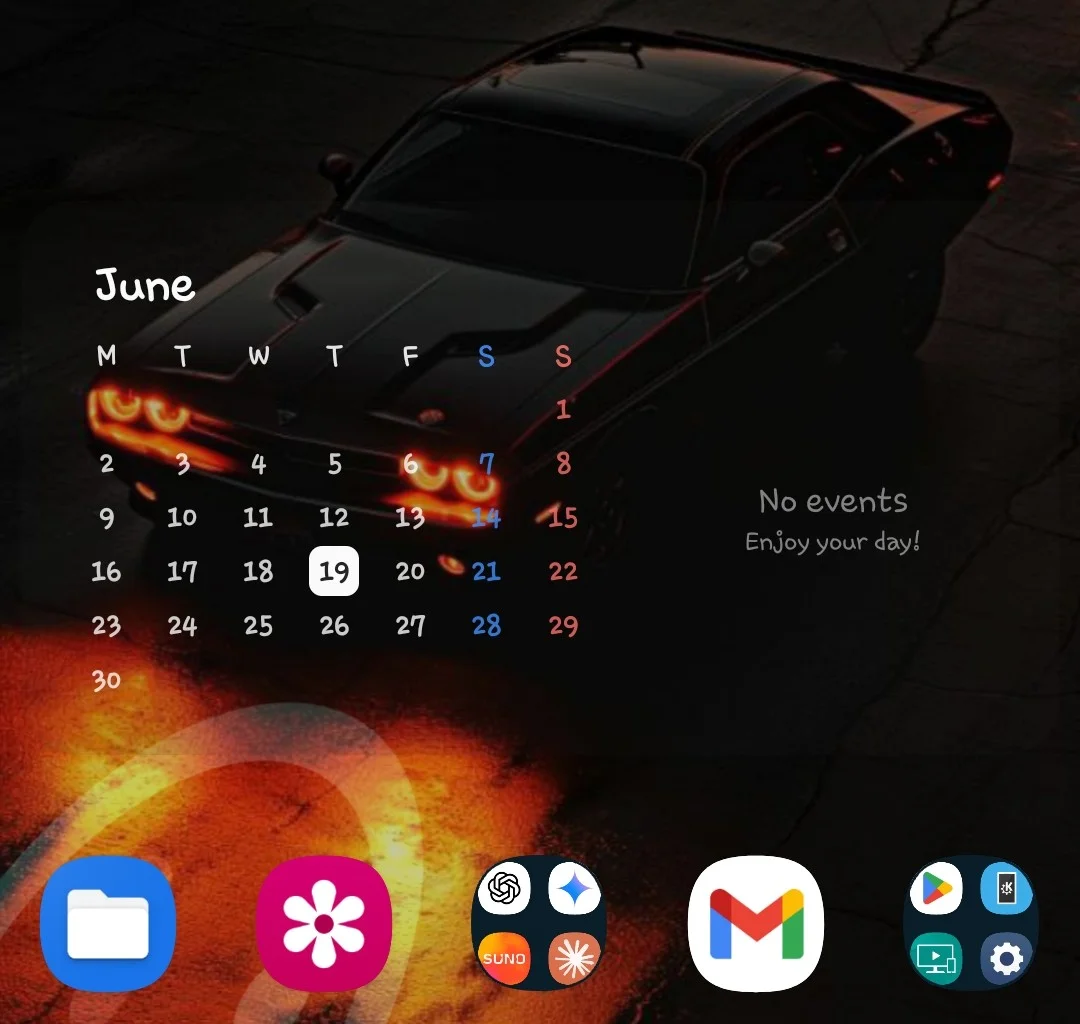
Yes, almost every launcher supports widgets. But somehow, widgets just feel better arranged on Nova. The spacing, the sizing, the layout control, it all comes together nicely.
Default launchers come close here, but Nova still gives me more freedom.
Bonus: backup and restore
This one is very useful, especially if you are the kind of person who wants the same setup across different phones or after a reset.
Personally, I prefer a fresh start every time. New setup, new mood, new me!
But I still respect the feature. For most people, this alone can save hours of rearranging icons, folders, widgets, and gestures.
Why am always searching for an alternative
Here is the honest part.
I still keep looking for Nova alternatives because I wish Nova was open source.
That would make it easier for me to fully trust it, support it, and recommend it with zero hesitation.
The free version already beats almost every other launcher I have tried. But some of the best features, especially gestures, sit behind the paid version.
Nothing against paid apps. Good software deserves support.
But depending on where you are, the price can feel a little too high for a launcher. High enough to make you consider buying a boat and becoming a pirate.
Kidding.
Still, this is why I sometimes wander off and test other launchers. I want something as good, as customizable, as reliable, and preferably open-source.
But every time I try to leave, Nova calls me by my name!
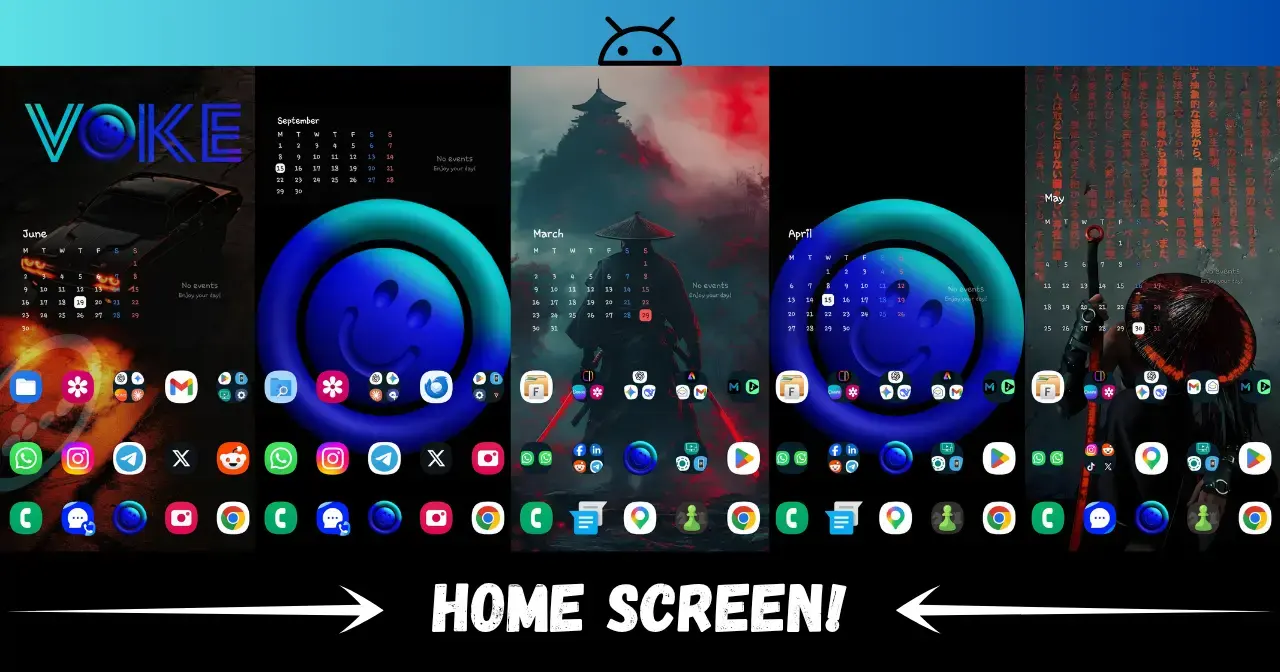
The featured image for this blog post is a collection of few of the screenshots I take with each setup. Spanning a couple years ago!
Conclusion
Let Sham be real.
Default launchers have improved a lot. Samsung, Pixel, and a few other ones are much better than they used to be.
But Nova still wins because it respects my setup.
It lets me make my phone feel personal, fast, clean, and familiar.
That is why Nova Launcher is still the first thing I install when I want Android to feel like home.
Stay Curious,
Sham.